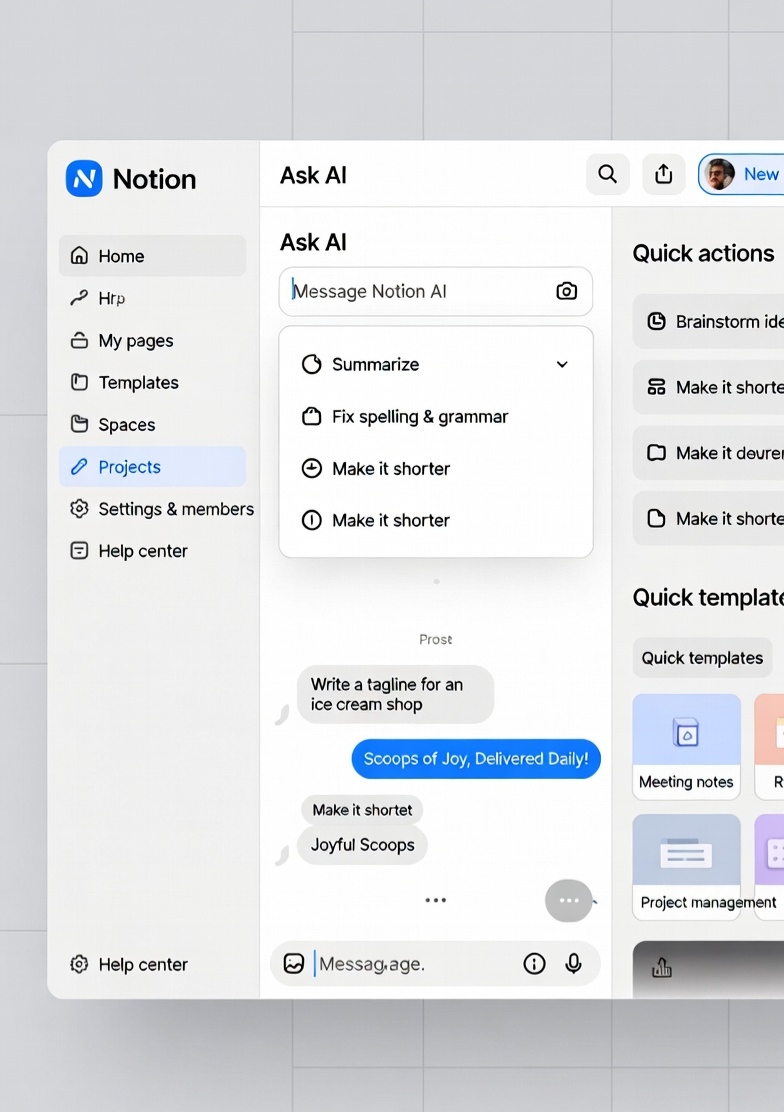
Notion AI transforms your workspace into an intelligent system β helping you write faster, organize ideas, and manage tasks effortlessly.
π§ Notion Workspace
1. Introduction to AI tools 2. Benefits of automation 3. Best tools for productivity 4. Conclusion
Think about your daily work routine. You switch between multiple apps β one for notes, one for writing, one for tasks, and another for planning.
This constant switching not only wastes time but also breaks your focus. Thatβs exactly the problem Notion AI is designed to solve.
Notion AI combines writing, note-taking, task management, and organization into one intelligent workspace. Instead of juggling tools, you can do everything in a single place.
It helps you write faster, organize better, and think more clearly β without overcomplicating your workflow.
Compared to tools like ChatGPT AI, which focus on generating content, Notion AI focuses on integrating AI into your daily work environment.
Similarly, platforms like Google Gemini AI offer productivity features, but Notion brings everything together in a single, unified workspace.
In fast-paced environments like the United States, where productivity directly impacts results, having a tool that simplifies your workflow can make a significant difference.
Notion AI is more than just a writing tool β it is a complete workspace designed to help you think, organize, and execute ideas efficiently.
Notion AI helps you write faster by generating ideas, drafting content, and improving your writing. Unlike standalone tools, it works directly inside your workspace.
You can create structured notes, summaries, and documents effortlessly. It turns messy information into organized content automatically.
Notion AI helps you manage tasks, track progress, and plan projects β all in one place without switching tools.
Quickly summarize long documents, meeting notes, or research content to save time and improve understanding.
Unlike tools like ChatGPT AI or Grok AI, Notion combines multiple functions into a single platform.
It fits naturally into your workflow, reducing the need to jump between apps and tools.
The biggest advantage of Notion AI is its ability to centralize everything. Instead of using separate tools for writing, planning, and managing tasks, you can do everything in one place.
Compared to Google Gemini AI, which focuses on integrations, Notion focuses on simplicity and control within a single workspace.
This makes it ideal for individuals, teams, and businesses who want to stay organized and productive without complexity.
One of the biggest challenges in modern work environments is fragmentation. You use one app for notes, another for tasks, and another for collaboration.
Notion AI eliminates this problem by bringing everything into a single platform. This reduces context switching and helps you stay focused on your work.
Unlike tools like ChatGPT AI or Grok AI, Notion AI doesnβt exist separately β it works directly inside your workspace.
This means you donβt need to copy-paste content between tools. Everything happens in one place, making your workflow smoother.
Notion AI is not just about writing β it helps you think, plan, and execute ideas effectively.
From brainstorming ideas to organizing projects, it supports every stage of your workflow.
The way people work has changed dramatically over the past few years. Remote work, digital collaboration, and fast-paced environments have created a need for tools that are not just powerful but also simple to use.
Notion AI addresses this need by combining multiple functionalities into one intelligent workspace. Instead of relying on separate tools for writing, planning, and organizing, users can now manage everything in a single platform.
For example, a professional working in the United States might need to take meeting notes, summarize discussions, create action items, and plan future tasks β all within a short time. Notion AI makes this process seamless by automating repetitive tasks.
Another important advantage is how it improves focus. When you reduce the number of tools you use, you also reduce distractions. This leads to better productivity and more efficient work.
Compared to Google Gemini AI, which integrates AI across different applications, Notion focuses on creating a centralized environment where everything is connected.
This approach is particularly useful for teams and businesses. It allows everyone to collaborate, share information, and stay aligned without switching platforms.
Over time, tools like Notion AI are not just improving productivity β they are changing how people think about work itself. Instead of managing tools, users can focus on managing ideas.
This shift is what makes Notion AI one of the most valuable tools in todayβs digital workspace.
Modern work is no longer about just completing tasks β it is about managing information, ideas, and decisions efficiently.
Every day, people switch between tools for notes, tasks, and communication β which breaks focus.
Notion AI solves this by bringing everything into one intelligent workspace.
Instead of managing multiple apps, you manage everything in one place.
This reduces mental load and improves productivity significantly.
Unlike ChatGPT AI or Grok AI, Notion AI works directly inside your workflow.
Similarly, Google Gemini AI spreads AI across tools, while Notion centralizes everything.
Once the initial structure is set, the real advantage of Notion AI becomes more visible over time.
Instead of constantly switching tools, your workflow becomes centralized and predictable.
This leads to better clarity, faster thinking, and improved decision-making.
In fast-paced environments like the United States, where time directly impacts results, this kind of efficiency creates a strong advantage.
Notion AI also improves collaboration by keeping everything in one shared workspace.
This ensures that teams stay aligned without confusion or duplication of work.
Over time, users stop managing apps and start managing systems of information.
And that is where the real power of Notion AI lies.
Most people are not struggling with work β they are struggling with how their work is organized.
Tasks are scattered, notes are incomplete, and ideas get lost between tools. Itβs not a lack of effort β itβs a lack of structure.
Notion AI doesnβt try to add more tools into your workflow. It replaces the chaos with a system that actually makes sense.
When everything exists in one place, your brain stops searching and starts focusing.
Instead of remembering where things are, you start focusing on what actually matters.
Thatβs the real shift β from managing tools to managing clarity.
Unlike ChatGPT AI, which helps you generate content, or Grok AI, which focuses on real-time responses, Notion AI becomes part of your workflow itself.
Even compared to Google Gemini AI, which connects multiple tools, Notion keeps everything inside one structured environment.
That difference may look small β but in daily work, it changes everything.
You stop jumping between apps. You stop losing context. You stop feeling overwhelmed.
And slowly, your work starts feeling more controlled, more organized, and more intentional.
What makes Notion AI powerful is not just what it can do β itβs how naturally it fits into how you already think and work.
You donβt need to learn a complicated system. You just start using it β and it starts organizing your work automatically.
Over time, this creates a sense of control that most tools fail to deliver.
In fast-paced environments like the United States, where clarity and speed matter, this kind of structure becomes a real advantage.
Because in the end, productivity is not about doing more β itβs about doing things with clarity.
And thatβs exactly what Notion AI helps you achieve.
Notion AI becomes more powerful when you see how it fits into real daily work. Itβs not just about features β itβs about how people actually use it.
For students, Notion AI acts like a complete study system. They use it to take notes, summarize chapters, organize subjects, and track assignments β all in one place.
Instead of writing everything manually, they can quickly generate summaries and focus more on understanding concepts.
For content creators, Notion AI becomes a central hub. Ideas, drafts, outlines, and final content β everything stays organized.
While tools like ChatGPT AI help generate content, Notion AI helps manage and structure it.
This makes the entire content creation process smoother and more consistent.
For professionals, especially in the United States, Notion AI helps manage daily work efficiently. Meeting notes, action items, planning β everything happens in one workspace.
Instead of switching between apps, they can stay focused and get things done faster.
Teams use Notion AI for collaboration. Instead of sharing files across multiple platforms, everything is centralized.
This improves communication, reduces confusion, and keeps everyone aligned.
Startups and entrepreneurs use Notion AI to manage ideas, strategies, and execution. From brainstorming to planning β everything stays connected.
Compared to Google Gemini AI, which connects tools, Notion creates one structured system.
Even tools like Grok AI focus on interaction, but Notion focuses on organization and execution.
Another important use case is personal productivity. People use Notion AI to plan their day, track habits, and organize their life.
This creates a sense of control that most tools fail to provide.
Over time, users donβt just complete tasks β they build systems that support their work and goals.
Thatβs why Notion AI is not limited to one type of user. It adapts to different needs and workflows.
Whether you are studying, working, creating, or managing a team β it gives you a structured way to think and act.
And thatβs what makes it powerful β it doesnβt just help you do more, it helps you stay organized while doing it.
Notion AI is not just about features β itβs about how those features improve your daily workflow.
When everything is structured and connected, work becomes easier, faster, and more efficient.
Here are the most important advantages that users experience when using Notion AI regularly:
β Centralized workspace for all tasks and notes
β Reduces the need to switch between multiple apps
β AI helps generate content and ideas instantly
β Improves organization and structure of work
β Saves time by automating repetitive tasks
β Helps maintain focus and reduce distractions
β Supports both personal and professional workflows
β Makes collaboration easier for teams
β Keeps ideas, tasks, and notes connected
β Improves clarity and decision-making
β Flexible for different types of users and needs
β Builds long-term productivity habits
Notion AI is designed to simplify how people work, but like every tool, it has both strengths and limitations.
The key is understanding where it adds the most value and where it may not be the perfect fit.
Unlike tools like ChatGPT AI, Grok AI, or Google Gemini AI, Notion AI focuses on workflow and organization rather than just generating responses.
That difference makes it powerful in certain situations β but also limits it in others.
1. All-in-One Workspace: Combines notes, tasks, and writing in one place.
2. Improves Organization: Keeps everything structured and easy to access.
3. Reduces Tool Switching: Eliminates the need for multiple apps.
4. AI Inside Workflow: Works directly where you are already working.
5. Great for Teams: Makes collaboration easier and more transparent.
6. Saves Time: Automates writing, summaries, and planning.
7. Flexible Usage: Can be used for personal and professional work.
8. Clean Interface: Simple and distraction-free design.
9. Enhances Focus: Reduces mental clutter and improves clarity.
10. Long-Term Productivity: Helps build better work habits over time.
1. Learning Curve: New users may need time to understand the system.
2. Not a Full Content Generator: Less powerful than dedicated AI writing tools.
3. Requires Setup: Needs initial organization to work effectively.
4. Internet Dependency: Requires online access to function.
5. Limited Real-Time Data: Not ideal for live information queries.
6. Can Feel Overwhelming: Too many options for beginners.
7. Not Ideal for All Tasks: Better for workflow than specialized tasks.
8. Performance Depends on Usage: Works best when properly structured.
9. Less Focus on Creativity: Compared to other AI tools.
10. Subscription Costs: Advanced features may require payment.
Notion AI is not about replacing every tool β itβs about improving how you use them together.
When used correctly, it becomes one of the most powerful systems for organizing work and improving productivity.
Understanding its strengths and limitations helps you get the most value from it.
Notion AI is not just another AI tool β itβs a system that changes how you work.
Instead of helping you complete individual tasks, it helps you organize everything around those tasks.
If your biggest problem is scattered work, constant app switching, or lack of structure, then Notion AI can make a noticeable difference.
Compared to ChatGPT AI or Grok AI, which focus on generating responses, Notion AI focuses on building a complete workflow.
Similarly, Google Gemini AI helps with integrations, while Notion keeps everything centralized.
This makes it especially useful for people who want clarity, structure, and control over their work.
However, it is not designed to replace every AI tool. It works best when used alongside other tools, not instead of them.
If you are willing to invest a little time in setting it up, the long-term benefits can be significant.
Notion AI works best as a productivity system β not just a tool.
The future of productivity is not about doing more β itβs about doing things in a better system. And Notion AI is built exactly for that.
Work becomes easier when everything is connected. Notion AI helps you bring your ideas, tasks, and notes into one clear system.
Instead of managing multiple tools, you can focus on what actually matters β your work.
βοΈ Start your workflow...
Plan tasks, write notes, organize projects β all powered by AI in one workspace.
Explore more tools in our AI Tools directory to find the right solution for your workflow.
Here are the most common questions users ask before using Notion AI for productivity, writing, and workflow management.
Notion AI is an AI-powered workspace that helps with writing, note-taking, and task management.
Notion AI offers limited free usage, but advanced features may require a paid plan.
It integrates AI into your workspace to help you write, organize, and manage tasks efficiently.
ChatGPT AI is better for generating content, while Notion AI is better for managing workflows.
It can replace some tools, but works best alongside other AI tools.
Yes, it helps with notes, summaries, and study planning.
Yes, but it focuses more on structuring and improving content rather than full generation.
Yes, it is widely used for team collaboration and project management.
It has a learning curve, but becomes easy once you understand the structure.
No, it requires an internet connection for AI features.
Yes, it helps teams organize work, tasks, and documentation efficiently.
Google Gemini AI focuses on integrations, while Notion focuses on workspace management.
Yes, it helps organize work and reduce distractions.
It follows standard security practices, but users should manage sensitive data carefully.
Yes, it can summarize long notes and documents quickly.
Yes, it can be used for writing, planning, studying, and project management.
Grok AI focuses on real-time interaction, while Notion focuses on workflow organization.
Students, professionals, teams, and creators can all benefit from it.
Yes, especially if you want a structured and organized workflow.
Visit our AI Tools directory to explore more tools.